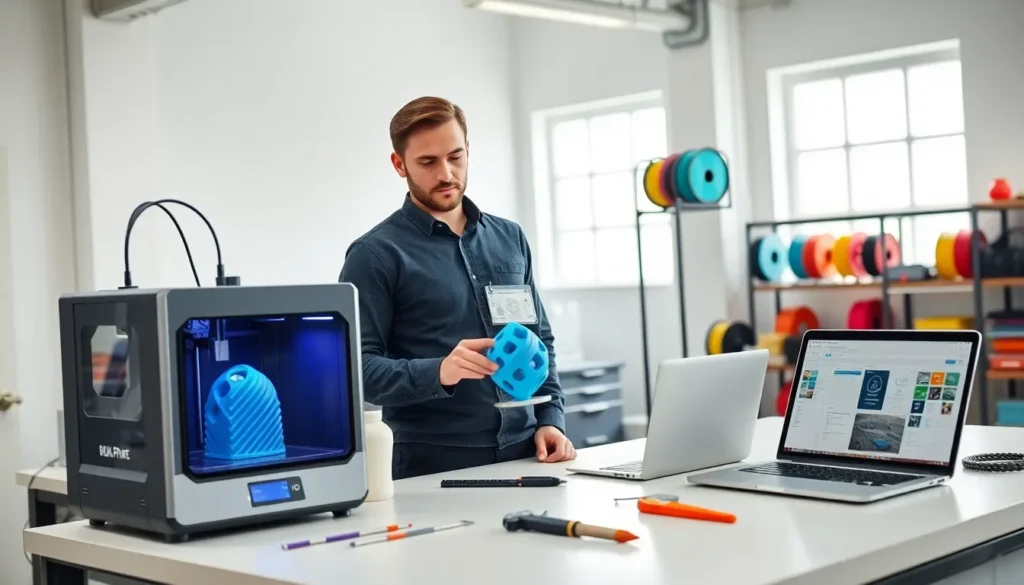

Good 3D printing tips can transform a frustrating hobby into a rewarding one. Many beginners struggle with failed prints, warped layers, and poor adhesion. These problems have solutions. This guide covers the essential techniques that separate clean, successful prints from disappointing failures. Readers will learn how to prepare their printer, select the right materials, and fix common issues. Whether someone just unboxed their first printer or wants to improve existing skills, these 3D printing tips will help them achieve better results.
Table of Contents
ToggleKey Takeaways
- Proper printer preparation—including bed leveling, nozzle cleaning, and belt tensioning—prevents most common 3D printing failures.
- Choose your filament wisely: PLA works best for beginners, PETG offers durability, and ABS provides heat resistance for functional parts.
- First layer adhesion is critical—use the right bed surface, apply adhesion helpers like glue stick, and dial in slower speeds with proper bed temperature.
- Troubleshoot common issues by adjusting temperature for stringing, checking belt tension for layer shifts, and using enclosures to prevent warping.
- Post-processing techniques like sanding, priming, and painting transform basic 3D prints into professional-quality finished pieces.
- These 3D printing tips save time and filament by helping you identify problems quickly and apply proven solutions.
Preparing Your Printer for Success
A well-prepared printer produces better prints. This step matters more than most beginners realize.
Level the Print Bed
Bed leveling affects every single print. An uneven bed causes the first layer to fail. Most printers include a manual leveling process using paper or a feeler gauge. The nozzle should barely grip the paper at each corner. Auto-leveling systems help, but they still need occasional calibration.
Clean the Nozzle
Clogged nozzles cause under-extrusion and inconsistent layers. Users should run a cleaning filament through the nozzle every few prints. For stubborn clogs, a cold pull works well. Heat the nozzle to printing temperature, push filament through, cool it down, then pull firmly. The debris comes out with the filament.
Check Belt Tension
Loose belts create layer shifting and ghosting artifacts. The belts should feel taut but not overly tight. They should produce a low twang when plucked. Tightening screws or belt tensioners fix most slack issues.
Lubricate Moving Parts
Dry rods and lead screws cause friction and noise. A light machine oil or PTFE lubricant keeps things moving smoothly. Apply lubricant every few months or when the printer sounds rough.
These 3D printing tips for preparation save hours of troubleshooting later. A printer that starts clean and calibrated produces consistent results.
Choosing the Right Filament and Settings
Filament choice directly impacts print quality. Each material behaves differently and requires specific settings.
PLA: The Beginner’s Friend
PLA prints at lower temperatures (190-220°C) and doesn’t need a heated bed. It produces minimal warping and smells slightly sweet when printing. PLA works great for decorative items and prototypes. But, it becomes soft in hot environments.
PETG: Strength Without the Hassle
PETG offers better durability than PLA while staying easier to print than ABS. It requires temperatures around 230-250°C and a heated bed at 70-80°C. PETG strings more than PLA, so users should enable retraction and lower travel speeds.
ABS: Industrial Strength
ABS provides heat resistance and mechanical strength. It demands higher temperatures (230-260°C) and an enclosed printer to prevent warping. The fumes require good ventilation. ABS suits functional parts that face stress or heat.
Matching Settings to Material
Every filament brand behaves slightly differently. Start with manufacturer recommendations, then adjust. Print a temperature tower to find the sweet spot. Too hot causes stringing and oozing. Too cold creates weak layer adhesion.
Print speed matters too. Slower speeds (40-50mm/s) produce cleaner results for detailed models. Faster speeds (60-80mm/s) work for simple shapes. These 3D printing tips about materials help users pick the right tool for each job.
Optimizing Print Bed Adhesion
First layer adhesion determines print success. A print that lifts or warps rarely recovers.
Use the Right Surface
Glass beds provide a smooth finish and release prints easily when cooled. PEI sheets grip filament firmly during printing and release when cool. Magnetic flex plates bend to pop prints off. Each surface suits different materials and preferences.
Apply Adhesion Helpers
Glue sticks work surprisingly well. A thin layer on glass prevents lifting. Hairspray also provides good grip for PLA and PETG. Blue painter’s tape creates a textured surface that many filaments grab onto. For stubborn materials like ABS, ABS slurry (dissolved ABS in acetone) creates a strong bond.
Dial in First Layer Settings
The first layer needs special attention. Slower speeds (15-25mm/s) let the filament settle properly. Slightly higher temperatures improve adhesion. A squished first layer (100-120% flow or lower Z-offset) pushes filament into the bed surface.
Heat the Bed Correctly
Different materials need different bed temperatures. PLA sticks at 50-60°C. PETG prefers 70-80°C. ABS requires 100-110°C. Too cold and prints pop off. Too hot and the bottom layers deform.
These 3D printing tips about adhesion prevent the frustration of watching a print fail halfway through.
Troubleshooting Common Print Problems
Even experienced users face print failures. Knowing how to diagnose problems saves time and filament.
Stringing and Oozing
Thin strings between parts indicate too much heat or insufficient retraction. Lower the temperature by 5°C increments. Increase retraction distance (4-6mm for Bowden, 1-2mm for direct drive). Enable coasting to stop extrusion slightly before travel moves.
Layer Shifting
Layers that shift horizontally point to mechanical issues. Check belt tension first. Examine stepper motor connections. Reduce print speed if motors skip steps. Overheating motors also cause skipping, add cooling if needed.
Warping and Lifting
Corners that curl up suffer from temperature differences. An enclosure helps maintain consistent temperature. A brim adds surface area for adhesion. Reduce cooling fan speed for the first several layers.
Under-Extrusion
Gaps in layers and weak infill suggest under-extrusion. Check for partial clogs. Increase flow rate by 5%. Verify the filament diameter matches slicer settings. Some filament runs slightly thin or thick.
Elephant’s Foot
A first layer that bulges outward happens when the bed runs too hot or the nozzle sits too close. Raise Z-offset slightly. Lower bed temperature by 5°C.
These 3D printing tips for troubleshooting address the most frequent issues. Most problems have simple solutions once users identify the cause.
Post-Processing and Finishing Techniques
Prints rarely look perfect straight off the bed. Post-processing turns good prints into great ones.
Removing Supports
Flush cutters handle most support removal. Needle-nose pliers reach tight spots. For soluble supports like PVA, a warm water bath dissolves them completely. Patience prevents damaging the print during removal.
Sanding for Smoothness
Start with coarse sandpaper (120-150 grit) to remove layer lines. Progress through finer grits (220, 400, 600) for a smooth finish. Wet sanding reduces dust and creates an even smoother surface. Some plastics sand better than others, PLA works well, while PETG tends to gum up.
Filling and Priming
Filler primer covers minor imperfections and layer lines. Apply thin coats and sand between applications. For deeper gaps, automotive body filler or epoxy putty works well. Multiple rounds of fill-sand-prime produce professional results.
Painting and Finishing
Acrylic paints adhere well to most printed materials. A primer layer helps paint stick evenly. Spray painting covers large areas quickly. Brush painting allows detail work. A clear coat protects the finish from wear.
These 3D printing tips for finishing help users create presentation-quality pieces.