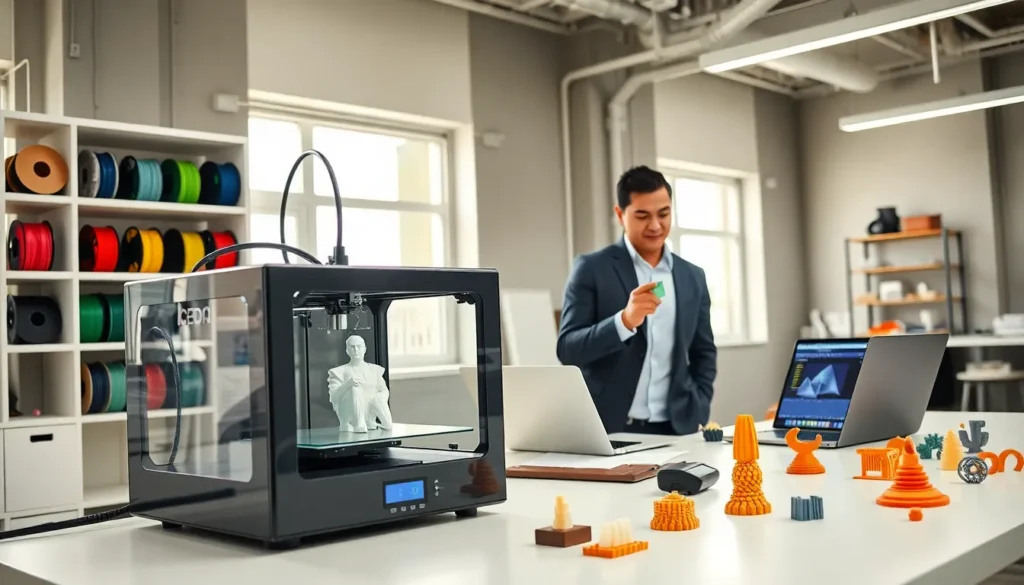

Finding the best 3D printing technology depends on the project at hand. Hobbyists, engineers, and business owners each have different priorities, speed, precision, material options, or cost. The 3D printing industry has grown rapidly, and choosing the right approach can feel overwhelming.
This guide breaks down the major 3D printing technologies, materials, and printers available today. Readers will learn how each method works, what materials suit specific applications, and how to produce high-quality prints consistently. Whether someone wants to prototype a product or create custom parts at home, understanding these fundamentals makes all the difference.
Table of Contents
ToggleKey Takeaways
- The best 3D printing technology depends on your specific project—FDM offers affordability, SLA delivers precision, and SLS provides industrial-grade strength.
- PLA is the most beginner-friendly filament, while ABS and PETG offer better durability for functional parts.
- Entry-level FDM printers ($200–$500) like the Creality Ender 3 series provide reliable results for hobbyists willing to learn calibration basics.
- First layer adhesion is critical—always level your bed, clean the build surface, and fine-tune Z-offset settings before printing.
- Post-processing techniques like sanding, priming, and painting can transform budget prints into professional-quality finished objects.
- Match your printer to your actual needs rather than buying the most expensive option—outsourcing to print services works well for occasional high-end projects.
Understanding Different 3D Printing Technologies
The best 3D printing results start with selecting the right technology. Three main methods dominate the market: Fused Deposition Modeling (FDM), Stereolithography (SLA), and Selective Laser Sintering (SLS). Each serves different purposes.
Fused Deposition Modeling (FDM)
FDM printers melt plastic filament and deposit it layer by layer. This technology offers the most affordable entry point into 3D printing. Most desktop printers use FDM because it’s simple, reliable, and works with many materials like PLA, ABS, and PETG.
FDM suits functional prototypes, household items, and educational projects. The visible layer lines may require post-processing for smooth finishes, but many users find this tradeoff acceptable given the low operating costs.
Stereolithography (SLA)
SLA printers use UV lasers to cure liquid resin into solid objects. This method produces extremely detailed prints with smooth surfaces. Jewelry designers, dental professionals, and miniature collectors favor SLA for its precision.
The downside? Resin costs more than filament, and the printing process requires careful handling. Users must wash and cure prints after removal from the build plate. Still, the best 3D printing outcomes for fine details come from SLA machines.
Selective Laser Sintering (SLS)
SLS technology uses lasers to fuse powdered materials, typically nylon, into solid parts. These printers don’t require support structures because the surrounding powder holds pieces in place during printing.
Industrial manufacturers rely on SLS for end-use parts that need mechanical strength. The equipment costs significantly more than FDM or SLA options, making it less common for home use. But, service bureaus offer SLS printing for those who need occasional access.
Top 3D Printing Materials and Their Applications
Material selection affects print quality, durability, and functionality. The best 3D printing material depends entirely on what the finished object needs to accomplish.
PLA (Polylactic Acid)
PLA remains the most popular filament for beginners. It prints at lower temperatures, doesn’t warp easily, and produces minimal odor. Made from renewable resources like cornstarch, PLA also appeals to environmentally conscious makers.
Use PLA for decorative items, prototypes, and objects that won’t face heat or stress. It breaks down under high temperatures and isn’t ideal for mechanical parts.
ABS (Acrylonitrile Butadiene Styrene)
ABS offers better heat resistance and impact strength than PLA. LEGO bricks use ABS, that should tell you something about its durability. But, ABS requires higher print temperatures and releases fumes, so proper ventilation matters.
Choose ABS for functional parts, enclosures, and anything that might take a beating.
PETG and Specialty Filaments
PETG combines the ease of PLA with improved strength and flexibility. It resists moisture and chemicals better than both PLA and ABS. Food-safe versions exist for kitchen applications.
Beyond these standards, users can explore carbon fiber composites, flexible TPU, and wood-filled filaments. Each serves specific creative or functional goals. The best 3D printing projects often involve experimenting with multiple materials to find what works.
Resins
SLA resins come in standard, tough, flexible, and castable varieties. Standard resins work for visual prototypes. Tough resins mimic ABS properties. Flexible resins create rubber-like parts. Castable resins burn out cleanly for jewelry casting.
Choosing the Right 3D Printer for Your Projects
Budget, intended use, and technical comfort level should guide printer selection. The best 3D printing experience comes from matching equipment to actual needs, not buying the fanciest machine available.
Entry-Level FDM Printers ($200–$500)
Printers like the Creality Ender 3 series and Anycubic Kobra have proven themselves reliable for beginners. They offer decent build volumes, active community support, and plenty of upgrade paths. These machines handle PLA beautifully and can manage ABS with some modifications.
Expect to spend time learning calibration and troubleshooting. That’s part of the hobby for many enthusiasts.
Mid-Range Options ($500–$1,500)
The Prusa MK4 and Bambu Lab P1S represent this category well. These printers arrive better calibrated, include features like automatic bed leveling, and deliver more consistent results out of the box. Users who value their time often find the premium worthwhile.
Mid-range SLA printers also fall here. The Elegoo Saturn and Anycubic Photon Mono series offer excellent detail for miniatures and small parts.
Professional and Industrial Machines ($1,500+)
Businesses and serious professionals invest in printers from Formlabs, Ultimaker, and Markforged. These machines prioritize reliability, repeatability, and material options. Support teams stand behind the products, which matters when downtime costs money.
For occasional high-end needs, outsourcing to print services often makes more financial sense than owning expensive equipment.
Tips for Achieving High-Quality 3D Prints
Even the best 3D printing hardware produces poor results with bad technique. These practical tips help users maximize their equipment.
Dial In First Layer Adhesion
The first layer determines everything. If it doesn’t stick properly, the print will fail. Level the bed carefully, or use automatic leveling if available. Clean the build surface with isopropyl alcohol before each print. Adjust the Z-offset until the first layer squishes slightly without being too thin.
Control Temperature and Environment
ABS and other materials warp when they cool unevenly. Enclose the printer to maintain stable temperatures. Even PLA benefits from consistent room temperature. Avoid placing printers near air vents or drafty windows.
For resin printers, temperature affects viscosity and cure times. Cold rooms slow everything down and can cause failures.
Optimize Slicer Settings
Slicer software converts 3D models into printer instructions. Layer height, print speed, infill percentage, and support placement all affect outcomes. Start with recommended profiles, then adjust based on results.
Slower speeds generally improve quality. Lower layer heights create smoother surfaces but increase print time. Finding the right balance takes experimentation.
Post-Processing Makes a Difference
Sanding, priming, and painting transform average prints into professional-looking objects. For FDM prints, acetone vapor smoothing works on ABS. SLA prints benefit from UV curing stations and careful support removal.
Don’t skip post-processing if appearance matters. A $200 printer can produce stunning results with proper finishing work.